
Debora Duckett asked,
If files are sent do you prefer .wav or since this will be compressed is .mp3 fine?
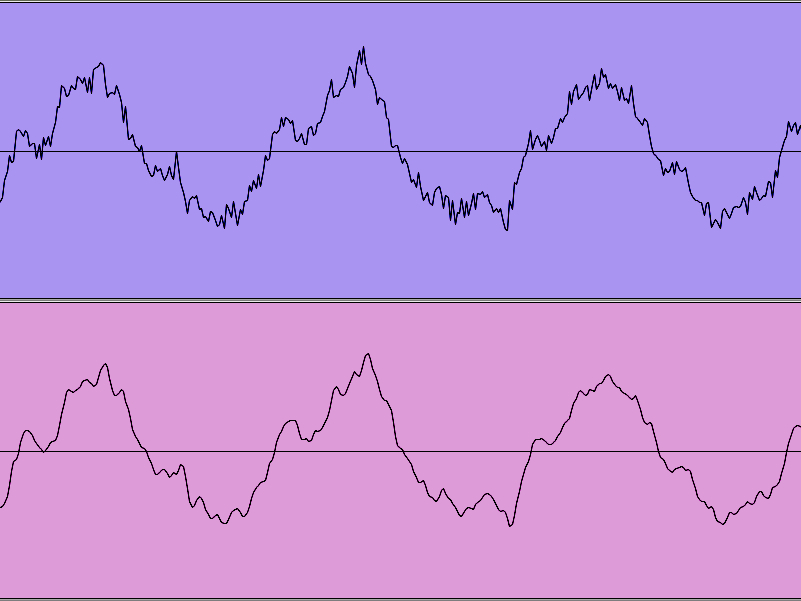 I always prefer high quality, high bandwidth sound files whenever possible. If you keep as much detail as possible to the very end then the final, memory optimized (data reduced) audio will sound better.
Most media professionals – music, film, broadcast, photography, etc. – would prefer their source material have more bandwidth than the delivery system.
Listen to all of the questions and answers… Dialog Editing for Game Audio.
Chip Beaman asked,
Do you prefer to record the dialog that you plan to edit, or does it make any difference to you at all?
I love to edit well performed, well recorded dialog. In that sense I don’t have to be the one who recorded it.
But when I record the dialog I know a lot about it, which allows me to move through audio production more effectively.

Attending the recording session provides insights about why things sound the way they do.
When someone has recorded poorly, are you able to determine what the problems were just by listening to the recording?
Yes some are obvious, such as plosives, distortion, and noise floor. Other issues are more subtle, more difficult to figure out the cause. For example, a roomy sounding recording could be challenging room acoustics, poor mic placement, a lack of mic technique, or some combination.
Listen to all of the questions and answers… Dialog Editing for Game Audio.
Sarah Elmaleh asked,
What’s the biggest habit or misstep a (talented) actor might be innocent of, that constricts your decision-making when it comes to editing? Are these issues mainly caught in a well-run recording session to begin with, or are there any that can’t be helped or noticed at that point?
I don’t seem to have a single biggest. Instead, two situations come to mind.
Concatenation is tricky. It’s time consuming to get right in the studio yet so horrible and obvious when you get it wrong, come editing. Take this example:
“Find the // blue // triangle.”
We really should play “Find the” right before recording each color. Then we should play “Find the // blue” before each shape. But that can be a huge time suck, so often we don’t. When it comes time to edit, if the favorite read doesn’t fit then you’ve got to listen to the other takes and hope one will work. If not, you’re stuck; you either let it sound bad or you re-record.

Ensemble recordings like this are rare
Good planning and budgeting can minimize the likelihood of these problems. Also, some actors are very good at concatenation (Jim Cummings and Jennifer Hale come to mind). Most experienced voice actors are comfortable performing opposite no one (save the voice director) and are able to conjure several interpretations of a line for a better chance that one will likely fit the performances by other voice actors. When everything works well, editing is pretty straight forward. When it breaks down, there aren’t many good options for the dialog editor.
Listen to all of the questions and answers… Dialog Editing for Game Audio.
J. S. Gilbert asked,
What is the single biggest mistake an editor might make, when it comes to working on game audio?
That’s an easy one to answer: If you delete the only copy of something – that’s BAD! But it’s not difficult to backup on a regular basis and “Save As” at milestones to prevent losing a recording. Be intentional about protecting those recordings.
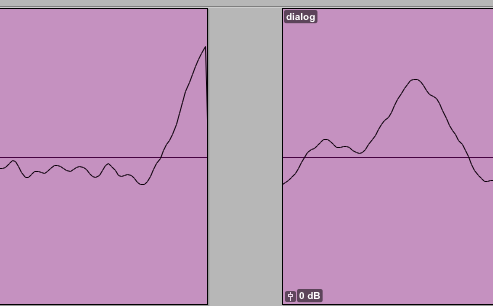 Other mistakes dialog editors want to avoid –
Anything that distracts from hearing the dialog. Edits that are obvious always sound bad. Cuts above/below the zero line can snat, which tends to sidetrack the listener.
A common mistake for new folks is poor asset management – bad filenames, missing files, when a phrase or word is missing from the recording. You want to keep track of everything requested (on the script), let people know if something has changed, and create the conditions for folks downstream to succeed.
Listen to all of the questions and answers… Dialog Editing for Game Audio.
I participated in a question and answer session for the Game Audio Network Guild’s professional group: Voice Actor’s Coalition. The topic was editing dialog for game audio.
Questions start at 3:54. I apologize that we had a few telephones that were cutting out during the interview, but I think you can listen past that occasional annoyance.
A few of my actor friends responded to last week’s Taking Damage article. Cia Court said she likes to clench muscles when performing reactions to “feel” impacts more. Jennifer Hale suggested reactions can move beyond vowel variations. “Pft” and “wah” are favorites that she likes to work into a set of damage reactions.

Got a pinboard for articles like this? 

A common task for voice actors in game dialog recording sessions is taking damage. The key challenge is providing a wide variety of reactions to getting hit. Here are some different approaches to creating a large number of unique sounds.
ANATOMY
Imagine being hit in specific places: face, chest, arm, stomach, leg, etc. You tend to make different kinds of sounds when you are hit in different places; getting kicked in the gut will sound very different than a face slap.
VOWELS
Form your reactions based on different vowel sounds. Go ahead and vary the pitch while you’re at it.
DURATION
Go short, medium, and long with the length. Or any kind of time based variation that’s easy to remember.
MOUTH SHAPE
It seems like the first instinct is a relaxed, open mouth. Try clenched teeth, wide open mouth, sideways jaw, extended lips and any other mouth manipulations you can dream up.
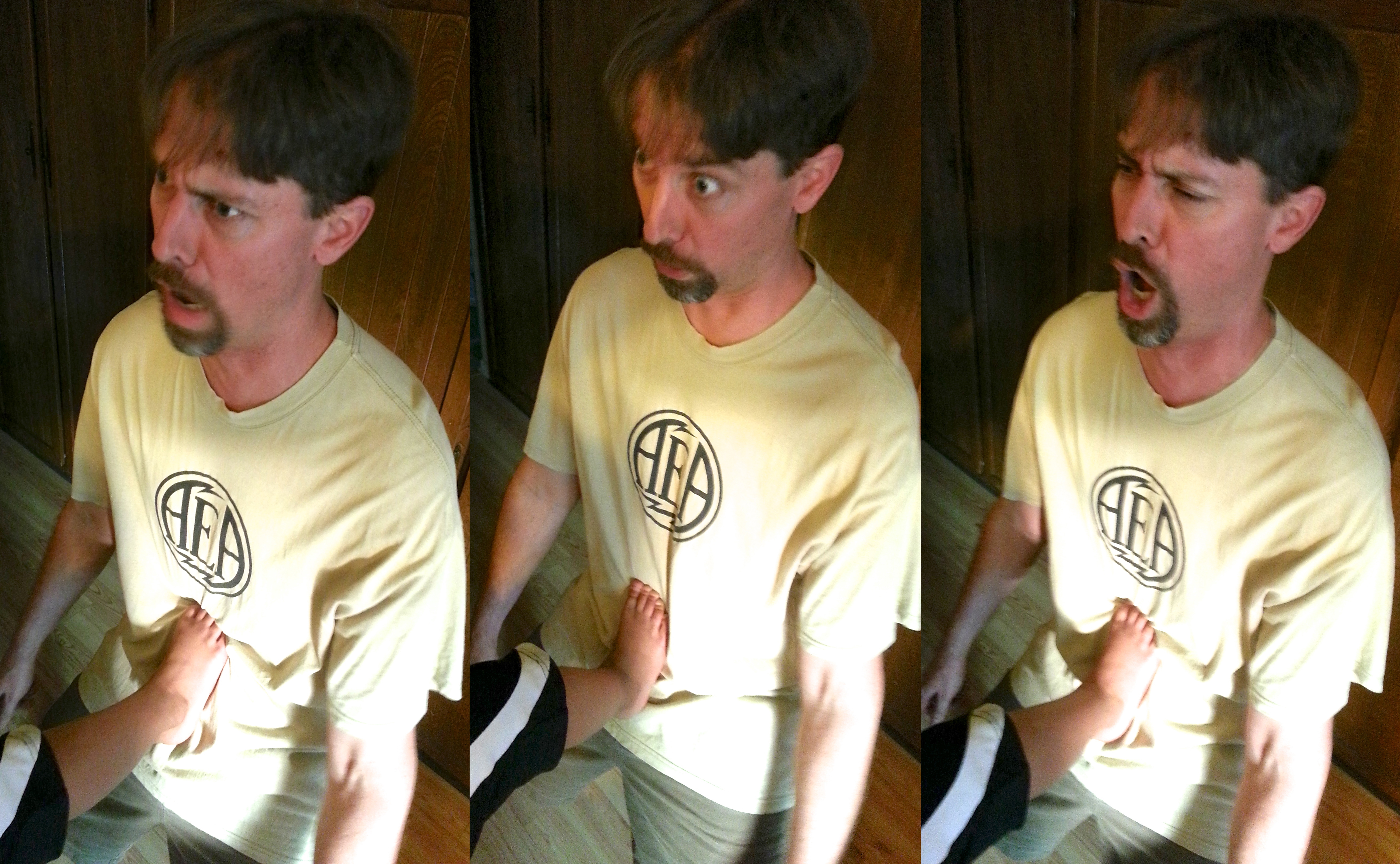
INTENSITY
Typically impact reactions are recorded in sets of regular fighting, less intense (such as a poke or bump), and huge impacts. Try to find different shades within those groupings so that some reactions are more intense than others.
MORPH
Certainly a person can perform combinations of two, three, or more single damage reactions strung together. But an actor can also start with one kind of reaction and transform it to another. For example: take the pitch high to low. Or low to high. Or morph the vowel, mouth shape, intensity, etc. And you can change more than one thing at a time for lots of variety. Voice sessions with morphing impacts are next level fun.
If you know some other techniques, please share. Like my actor friends did: More Damage
Got a pinboard for articles like this one? Cool- 
A few weeks ago I wrote “tablet and handheld manufacturers could include OS drivers for external storage and make this whole nightmare” for mobile backup up go away. Looks like they have with a feature called USB Host. You need a USB On The Go (OTG) cable, which is male micro USB for your phone, to standard female USB for your storage device.

Be aware, USB Host doesn’t work with all drive formats (just like desktops and laptops). Here’s a video demonstrating USB Host on the Samsung Galaxy S3.
I found moving files to/from a thumb drive very straight forward using the phone’s operating system and with the Astro file explorer app. The thumb drive was as easy to use as internal memory. This is a huge step forward for mobile devices, allowing us to quickly backup our data to portable, external storage via USB.
I use ProTools 10.0.1. I heard horror stories about 10.1 and stayed away.
Last week I started asking my Twitter friends and colleagues:
Are you running ProTools 10.2? Is it stable? Some interesting replies…
 @awalk94 – OS 6.8
been running it for a few weeks now, only on a macbook not HD software, runs great though, no complaints.
@bscheuble – OS 10.7.4
Yes… (arm up) And yes, stable.
@chuck_russom – OS 10.7.4
10.2 is not bad and totally usable daily. 10.1 was bad for me. Still think 10.0 was better.
Also, I am completely native with non Avid hardware.
@rhythminmind – OS 10.6.8 and Win 7 64 on personal rig
I’ve installed 10.2 on 20+ rigs. It solved many of the showstopping post bugs with 10.1.x.
It’s stable on my setup for sure, I wasn’t on 10.x long do to a timeline/framerate bug that I couldn’t deal with.
On my home rig 10.2 works much better with my 3rd party hardware.
@Mikehillier – OS 10.7
I run 10.2 it’s a gazillion times better than the previous version I ran – 10.0.4 I think.
@colinhart – OS 10.6.8
HD 10.2.0: so far so good – I’ve been working on a feature in it for the past two weeks, haven’t had a single problem
@viktorphoenix – OS 10.7
Yup. Totally stable.
@Pct1theory – OS 10.8
I’m running it on Mountain Lion Told me it was incompatible but it works
been running it on ML since launch. It’s crashed once and lags occasionally. Not a big deal to me.
but this is only with core audio. I haven’t tried using it with my 003 yet.
@joelraabe – OS 10.6.8
it’s been fairly stable for me.
@thomasdulin – OS 10.6.8 and 10.7
super stable on 10.6.8. also good experience on 10.7 but have only used to track on that machine.
@eesn – OS 10.6.8
very stable on 10.6.8. Just don’t expect the same of Eucon.
@dieffe – OS 10.7.4
Pro Tools is quite stable. Lion on the other hand is not performing well with my (old) macbook pro.
I think the problem is my macbook pro (first unibody) and only 4 gb of ram. Lion is not bad, even if it has some quirks
@CreateMusicPro – OS 10.7
10.0 was good. 10.1 was all kinds of horrible. 10.2 solved 95% of those problems.
[I asked: Would you rather be running 10.0 or 10.2?]
10.0. Anything after seems to want to move into 1024 buffer constantly and can’t really handle as many heavy-CPU plugs
—–
Thanks for the replies everyone. I’ll be running Time Machine just prior to upgrading sometime soon.
Got a pinboard for articles like this? 
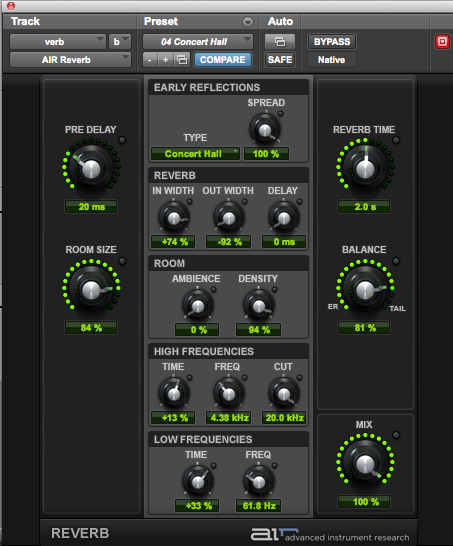 On previous mobile phones there was a “sonar” sound effect that I used for email notification. I couldn’t find anything similar on my new phone, so I decided to make my own. It’s an old Hollywood sound design trick to add reverb to a tone burst for sonar (real sonar isn’t audible). It was satisfying from a Do It Yourself perspective and quick fun. Here’s the rundown.
In ProTools I created four audio tracks and two aux channels. The first aux was for my tone generator, set to 1k Hz. I recorded that to the first track and edited it down to 5 frames (166ms at 29.97fps). I trimmed back to the nearest zero crossings at each end, then did a single cycle fade in/out. I assigned the output to buss 12 to feed the next, adjacent audio track. I used buss 11 to send to the other aux channel.
That other aux channel ran the AIR reverb plugin with an 1176 compressor after it, just to punch it up and raise the volume on the reverb tail. That output went to buss 12 too, mixing my dry 1k tone burst with its reverb. [Mix window screen shot]
After “printing” the bussed mix I copied to the next adjacent track and hit it with the Audio Suite plugin Maxim. Then I added a fade at the end.
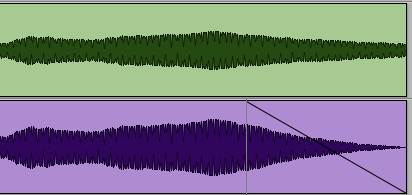
I copied that limited file with the fade to the last audio track, highlighted and hit Shift-Option-3 (Consolidate Clip). Finally I did a quick rename and exported (Shift-Command-K, “Export Clips As Files…”). I made a 24bit, 48k sound file – the native format of my session. Then I made a 16bit, 44k version. Finally I used Snapper with the LAME encoder to create an MP3 from the 16bit WAV file.
Here’s the end result. Feel free to download this MP3 for your phone.
If you want to check out the ProTools 10 session used to create the sound effect download here.
Have you created sound for your phone? Let us hear it, won’t you?
 Randy Coppinger