
Poll: Which sound (and sound related) apps do you use on your mobile?
A few of my favorites, Android:
SoundCloud – My favorite embeddable audio player doesn’t show up on many mobile browsers, but fear not! You can stream and download sound directly from SoundCloud.com via the app. Not just a player, you can use the app to record and post. Brilliant.

RTA Pro Analyzer
Virtual Recorder – I’ve paid for several recording apps, but this one stands out for a few reasons. First of all, I dig the graphical representation of a cassette. There is a decent meter to help you set a level and a “Digital Mic PreAmp” to adjust gain. Like a tape machine you can play audio in reverse and at different speeds. Lots of fun.
Now share your favorites, won’t you?
Easily the most important thing I have ever put on the internet. Seriously.
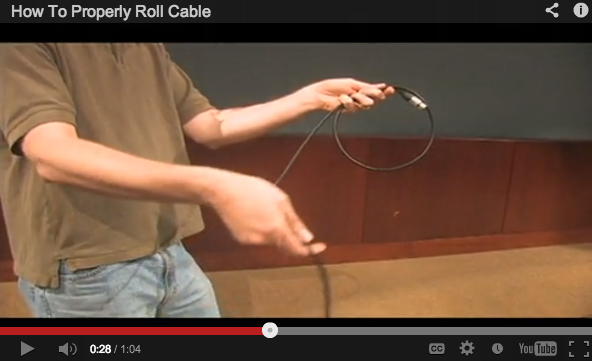
Video by Scott Reynolds
Demonstration of the “Over Under” technique for rolling cable. Why?
(1) It helps prevent tangle and enables the cable to lay flat.
(2) It prolongs the life of the cable.
(3) It is accepted best practice for media production professionals.
Here’s another detailed and specific video with two slightly different ways to achieve the same Over Under cable roll.
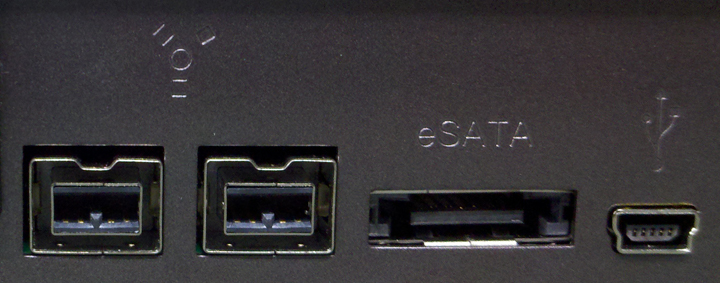
I’ve gathered some thoughts about storage issues in a production group environment. But let’s face it, anyone who uses a computer deals with some of these, so cherry pick ideas that improve your digital life.
Version
Remember the last time you collaborated with others on the same document and wondered: Who has the most recent version? How can I know the changes I’ve indicated won’t get lost in the shuffle? This is the issue of version control. The promise of networked storage is that everyone sees the same thing at the same time. But if you are working on more than one drive, or your collaborators “Save As…” often, you spend a lot of time and resources tracking versions. Some software (such as ProTools) forces this issue by allowing only one Write authorization at a time. If anyone else is going to work at the same time, the group makes changes in more than one place at a time. Dividing up the work along clear lines and providing rules for how they get combined are key workflow issues in these cases.
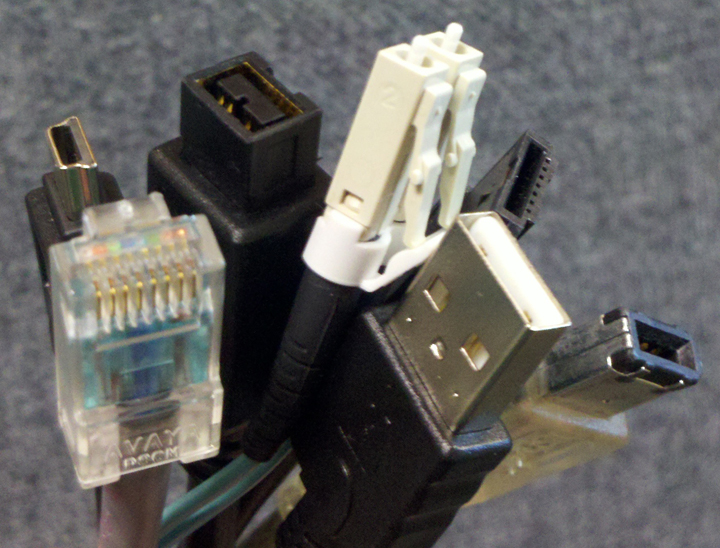
Fat Pipes
If your files are low bandwidth — text, pictures, compressed media — then you have lots of great options for networked storage. If your files are high bandwidth — uncompressed audio, video, CAD — then you may find it more cost effective to store files close to you, rather than remotely. Fat pipes are expensive over a long haul. Even the most expensive 3 foot cable is a sunk cost; you pay for it once. Remote storage tends to have ongoing costs, both for connectivity and for the storage. People who work with high bandwidth media files don’t just move them around, we also play them. If you can’t play from your remote storage because of bandwidth limitations then you will copy to local storage and create version control overhead. Some software (ProTools) can’t read/write with low bandwidth storage.
Control
What happens when something goes wrong? If “The Show must go on” then using only remote storage could pose a problem. It’s easier to power cycle a local device, right? Now there are remote storage solutions that feature an army of people smarter than me who can keep the lights on. And that army comes at a cost. But if I don’t backup my data remotely I could have the opposite problem: failure of the stuff right next to me (power outage, etc.) can stop work with no alternative. So some combination of local and remote storage is important. Make sure to decide which storage location is Primary. More often than not primary local storage has helped me meet deadlines because I maintain control of it.
Security
Your personal privacy is one thing. But if you work with data that gives your team an advantage, or losing control of the data would benefit your competitors, then you need security. Local networks have always offered a security advantage. But remote storage solutions have become better and better, to a point where I don’t find this a compelling argument one way or the other. I do think it is important to understand the security context in which you work and take appropriate steps to protect files that need to remain secure.
 Search Keys
Where did I put that project? Naming conventions can go a long way to help you find what you need. If you work with a high volume of projects a clever naming system may still not do the trick. A Search Key is a unique identifier that allows you to differentiate an item. Think Social Security number. I like to use a five or six digit number at the end of every project folder to identify it. All other references to that project — invoices, documentation, correspondence, etc. — include that code so I can go to the correct data set quickly.
Project Life Cycle
In my experience there are different ways we keep files safe from failure by machines and people. Let’s differentiate Safety, Backup and Archive because so often these terms are used interchangeably.
Safety – This is a running copy made while work is underway. For example, during a recording session in years past this might have been a second recorder. These days it’s a redundant array that ensures failure of the primary storage doesn’t nuke the work happening right now. In other words if the primary storage fails, work doesn’t stop.
Backup – At periodic intervals (daily) and/or at significant milestones a copy of the work is put somewhere else. If primary storage fails you’ve only lost work since the last backup. It shouldn’t cause version control problems because you don’t use it for anything but protection. This copy is like a firehouse: you don’t ever want to use it. But when you need to put out a fire, you are very glad to have it.
Archive – Projects become dormant over time. I move files off of active storage after six or more months of inactivity. But that doesn’t mean the client won’t contact me in two years to revisit the material. The process of deep sixing data for use years later is known as archiving. I’ll make the files pretty and try to re-format or re-configure things in an effort to future-proof them. I like to gather all related documentation, screen shots and anything that can help someone use the data again after we’ve all forgotten the particulars, then put that stuff in a master folder. Next I zip the whole thing, apply an MD5 hash to it and copy it all to two different external drives. Every 3-5 years the zipped archive and MD5 hash move to another set of drives.
Follow-up articles: Business Continuity and Disaster Recovery, Media Storage Flavors
See also Rob Schlette’s excellent article 5 Steps for More Dependable Hard Drives at theProAudioFiles.com.
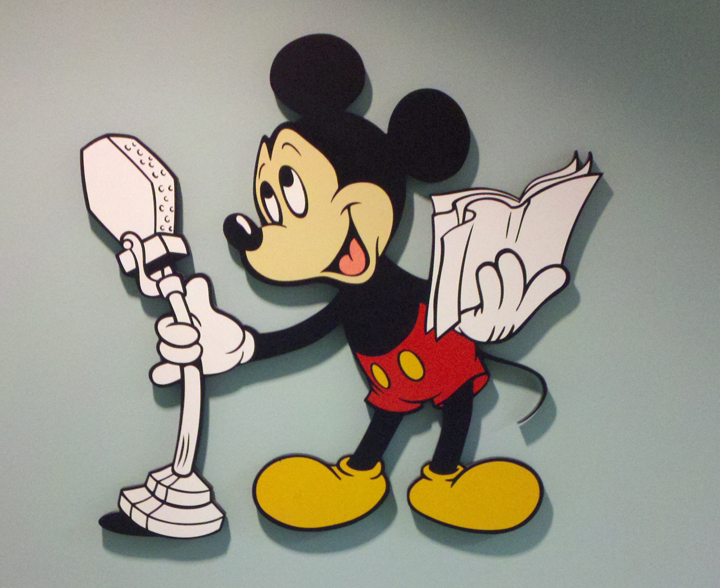
Mickey At The Mic
The in-house recording facilities at Disney Character Voices closed October 21. These are the last few days of an amazing 16 years with DCV.
This means my full time efforts for full time employment will be in full swing. Putting down roots again will allow me to tightly integrate my workflow with others and develop the same kind of effective recording systems that I’ve created at DCV. I will also be available for freelance audio work.
I feel empowered and humbled by friends who’ve passed on my resume and put me in touch with other media professionals. I’ve met some cool, new people recently. If you share my passion for professional audio, we should talk. If you’ve got some thoughts about my job transition I would be glad to hear from you. Go ahead, contact me. Thanks.
Last week I met Ryan Canestro at Aaron Burch’s house to see Aaron’s studio and geek out. Aaron said his reel-to-reel tape deck wasn’t working and wondered if we would have a look at it. But when I asked where he got it, and his answer was my Alma Mater, I got chills.

Otari 5050
Sure enough, Aaron showed us his Otari 5050, the same recorder from my college radio days. I am positive this is one of the two decks I used to first learn recording and editing over 20 years ago. When I hit the power switch the deck lit right up. Threading tape through the transport mechanism felt instantly familiar, like I had done it before hundreds of times. Well, I had.
Sadly, the transport was sluggish and the unit wouldn’t record, so we couldn’t press it into full service. Now I don’t miss cleaning heads, waiting for the tape to roll back to the top or identifying edits with a grease pencil. And there are certainly better sounding analog tape decks than this model. But I had a good run with the 5050 all those years ago: learning fundamentals, getting work done and creating audio magic.
It was great to hang with Ryan and Aaron that night. But I also felt far away — alone in a little radio studio producing spots — just from seeing that deck again. I’m pretty sure my fondness for old school VU meters can be blamed on this machine.
It’s not just me… these are sexy, right?
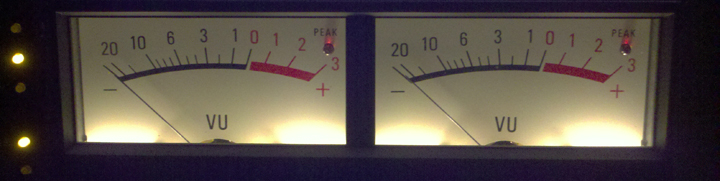
Otari 5050 Meters
Whenever I get together with other people who spend their time in recording studios, I love to swap stories. I’ve enjoyed sharing some of my Studio Anecdotes. What amusing tales do you have about recording?
Rob Sommerfeldt (@RobSommerfeldt) suggested that a Twitter discussion Jason Miller (@JasonMiller0607) and I had Sept 7 about recording and mixing voice might be worth sharing. So I collected our conversation here.
Jason Miller: Do you use much parallel compression with voiceovers?
Randy Coppinger: Not tracking, no. I experimented with it. It seemed like a better idea than it turned out to be.
For pre-mastering and mixing dialog I use parallel compression all the time. Just yesterday as a matter of fact.
I seem to recall you’re a fan of parallel compression…
I use it on vocals when I mix almost 100% of the time. Never when tracking. Just wasn’t sure what protocol for DIA was…
I’m not sure if there is a protocol, but I know my colleague & I are both fans for mixing. I like serial compression too.
I find that if I de-ess the compressed channel a little too much, it allows the uncompressed “esses” to poke through
Which is one reason why I think it can make an awfully compressed vocal still sound natural.
Serial is inevitable in my chain, as I always compress on the way in. Then the parallel comp, and sometimes one more.
Not to mention my mix buss…
Interesting strategy. De-esser before or after compression? For sibilance I like to move and/or swap out the mic.
Sounds like we both like many layers of a little bit of compression.
I tend to parallel compress submixes rather than the main mix buss. It feels more controlled to me.
My typical dialog pre-mastering chain is: EQ cuts > parallel compression > EQ boosts > limiter. For mix, lose the limiter.
De-essing hasn’t been a huge problem for me lately. But when I do use it, it is always after the comp.
Sometimes it’s on the parallel compressor, sometimes it’s after the two are summed… depending on how much I need
Though, I find myself using de-essers more around 2-3k for harshness rather than “esses”
Cool. So it’s more like a multi-band compressor set to only knock down a narrow band of mid-range. I like it.
Whenever I have a voice that just tears through regardless which mic or where placed, my fav de-esser is the LilFreq.
They spun off the de-esser in to a half rack (pic). http://ow.ly/6nTU5
I’m sure that de-esser rocks. I refuse to work with analog gear in a mix, so I enjoy the Waves De-esser.
I use it for tracking. The LilFreq is typically in my acquisition chain anyway so I can just pop in the de-esser if needed.
De-essing to tape scares me… but then again, if I was ONLY recording/listening to a voice it would be much less terrifying
It’s like compression: go easy because you can always add more later. Most de-essers scare me. This one works very well.
As I said, I prefer to swap and/or move the mic. I *rarely* use the de-esser. Nice to have in a pinch.
I think I find them to be less predictable than compressors. Also, I find them most effective at the end of the chain.
I was trained to use gates and de-essers as early as possible. To each his own.
In my experience, [large amounts of] compression tend to undo any de-essing you may do early on.
That hasn’t been my experience, but I know a really quick release can make a voice seem brighter, so not hard to imagine.
—–
Thanks for reading. What thoughts / questions do you have? Leave a comment, please.
This had to be the strangest video problem I’ve ever encountered recording to picture in ProTools. The client sent me an MP4 video file that used H.264 video codec. It was not broken into reels, so this was the ENTIRE film from start to finish with continuous timecode. The video file was 2.7 GB even with the H.264 video compression.
It had all of the things I like for verifying location and position: window burn, First Frame of Action at hour 1, head & tail sync pops with matching flash frames. There was even an academy leader. Technically speaking, it was gorgeous. I imported the picture reference into ProTools and spot checked the window burn against the timeline to verify sync. I dropped the cursor somewhere after hour two and the window burn rolled back to hour one! Uh oh. Houston, we have a problem. I found the exact frame where the timecode rolled back and wrote the guy who supplied the video.
His reply was about problems with the H.264 codec, which wasn’t what I had identified as the problem. It’s the window burn! But much to my surprise, it WAS an issue with the file format. And all I had to do was check the video file again using the stock Apple Quicktime player to see that the video was just fine outside of ProTools. But inside ProTools the video got to a frame just under hour two and started playing again from frame one. It would go back to frame one and play forward at the exact same spot every time, which was what lead me to the wrong conclusion.
Apparently there are two related issues. One is known as The 2 GB Problem, where video files have problems when you play them in ProTools past the 2 GB point in the file. But it only happens with certain codecs, notably in this case: H.264. All I had to do was convert the video to Motion JPEG A, which made it significantly larger than 2 GB, and the video played just fine in ProTools.
For more, here’s a post on the Avid site-
http://duc.avid.com/showthread.php?t=290098&highlight=h264
I still like H.264 as a way to move video files efficiently, but anything over 2 GB will get converted before I import into ProTools.
Here’s an overview about using H.264 video in ProTools.
See also: Conflict between ProTools and Spotlight, Bounce to Quicktime Movie with Full Options, ProTools Sync: The Short Video Problem
My employment with Disney has been extended to October 1st. That’s good news and includes a milestone: mid-September marks 16 years for me at Disney. We’re currently working on the largest videogame project I’ve seen in that time, so it just made sense for me to be here a while longer.
We started recording in July for this new Xbox Kinect game (E3 demo). I’ve worked on some dialog heavy games before, but the scale of this one is stunning. I rigged an audible cue for talent so they know when ProTools is in record. That way we don’t need to slate – saving time. The recording sessions are pretty intense. I’ve definitely got my “A Game” going in the studio right now, and for finding the next place I can apply myself.
I’ve met some great people and explored some exciting ideas since my job transition began. I’m looking forward to more, including a talk with you. Contact me, won’t you?
So, the in-house recording studios at Disney Character Voices will be closed. As of August 12, 2011 I will no longer be an employee of the Walt Disney Company.
My 15 years at Disney have allowed me to work with the best in the business, providing me with the kind of experience and insight that is just a dream for most audio professionals.
I’m looking forward to sharing my experience recording:
Leaving Disney provides the opportunity to explore relationships and projects that I might have otherwise avoided. If you care about audio, I’d love to chat with you, hear about what you’re working on, and share ideas.
I am currently taking meetings and determining my next career steps. The Magic 8 Ball says: “Will Involve Microphones” — I will keep everyone updated as things take shape.
Thanks for visiting.
 Randy Coppinger