
I mistakenly assumed this issue was fixed several versions ago, but I’ve seen it again recently in ProTools 10. It could be caused by code deep in the video playback core of the software. It could even be caused by some quirk with Quicktime, which ProTools uses for the video decode heavy lifting. I’m documenting it here in case anyone else encounters it — it can be difficult to diagnose and sometimes isn’t simple to solve.
THE CAUSE
This error occurs when the video file is shorter than the audio. In other words, audio extends past the end of the video. Then audio is highlighted in the Edit window and a Bounce to Quicktime command is issued. For whatever reason, sometimes the video is stretched — frames are added or lengthened — so that the length of the video and audio are the same.
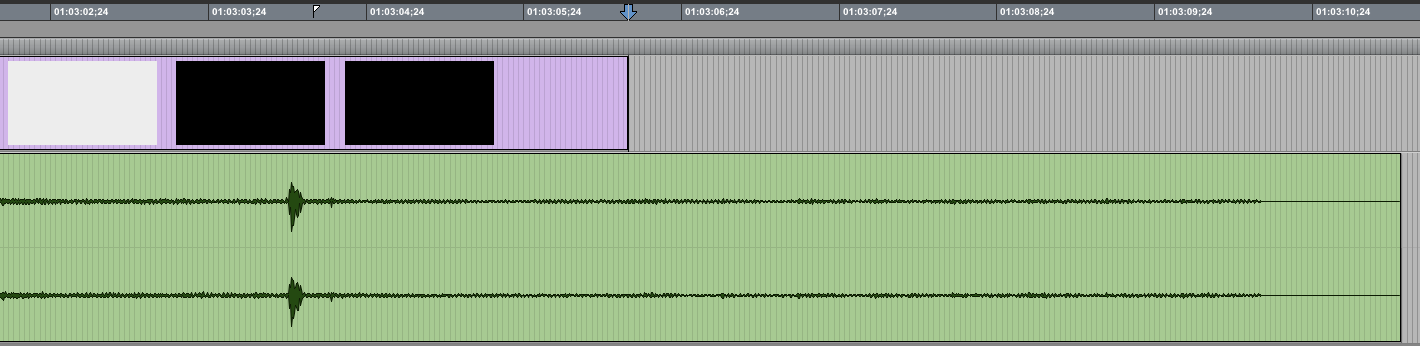
This is a huge problem for several reasons:
The audio and video drift out of sync getting worse toward the end.
The video may look strange, or in extreme cases, terrible.
There is no error message or indication during the Bounce. You have to review the video outside of ProTools to find the problem.
WHY IT MAY SEEM LIKE A DIFFERENT PROBLEM
Video sync can tricky, both in terms of the mistakes we can make because we’re human, and because ProTools is an audio-centric tool that also allows video. The plethora of video codecs makes testing every permutation a challenge for software developers too. Given the number of other things that can go wrong, the short video problem feels especially insidious.
SOME SOLUTIONS
1. Don’t combine the video and audio using ProTools; don’t bounce to Quicktime.
2. Pad the video at the end.
3. Cut the audio to end as soon or sooner than the video.
See also- ProTools + H.264 video = Problem, ProTools: Bounce to Quicktime Movie with Full Options, Conflict: ProTools and Spotlight Indexing
A good social media feed should bring inspiration, good things to read, and a bit of fun. But too often a stream can get crowded with irrelevant posts, marketing, and drivel. Facebook likes to filter for us (no thanks), but it takes some discipline to prune an overgrown Twitter or Google Plus feed. Once committed to some cleanup, who should be cut and who kept?
GERMANE
 I like to read about professional audio, game design, voice acting, and other topics related to my profession. I’m not opposed to personal posts now and then, but I primarily want social media to feed my brain and help keep me enthused. The curated feed of Women’s Audio Mission is amazing in this regard (on Twitter and Facebook). All of the posts are audio related. I’d miss so much good stuff if I didn’t follow WAM.
OCCASIONAL AND CONCISE
I adore the work of science fiction writer William Gibson and was elated to find him on Twitter. But he posted so much stuff I couldn’t keep up. I held on for months out of respect for his Cyberpunk novels, but eventually had to admit that his Twitter profile just wasn’t a good fit for my social media personality and habits. I seem to prefer people who post occasionally, and when they do post, it’s good stuff that gets right to the heart of things.
ENGAGE

MOBILE
I don’t tend to watch video or listen to much audio on my mobile. When posts are predominantly text and pics I can catch up while waiting for coffee or food. That’s not to say I don’t enjoy watching or listening, but I’m not prone to do that mobile – where I typically engage with social media. (If something high bandwidth seems really good, I save to Evernote and check it later on a good screen and better audio reproduction).
Who do you follow and why?
… you know I had my share. Previously we explored ways to let people know more about a media file using metadata, a ReadMe doc, a posting notification, folder name, and file name. Here are a few more tips for creating good file names and avoiding bad ones.
AVOID
At the time you name a folder or file, the word “new” may be accurate and descriptive. But after some time passes, the content will no longer be new. Worse yet, if another version is needed after that, “new” in a previous file name is downright confusing. Because there may be more than one version of an audio file, using the word “new” should be avoided.
For the same reason “final” is a terrible choice for a folder or file name. Using “final” is like a curse on your file, inviting someone to request another change. To prevent names that are ambiguous — and especially wrong — be sure to avoid using “new” or “final” in folder and asset names.
EMBRACE
A simple and common way to distinguish files for version control is to use an incrementing number. For example: SmRoomAmbLoop_Stereo_vers1, SmRoomAmbLoop_Stereo_vers2, etc. If you are creating every version, or you administer the naming, then a simple incrementing version number can be a great way to keep track of everything.
When large teams are working simultaneously on a project, it may be difficult to know the current version number. Using the date may be helpful especially if many iterations are anticipated.
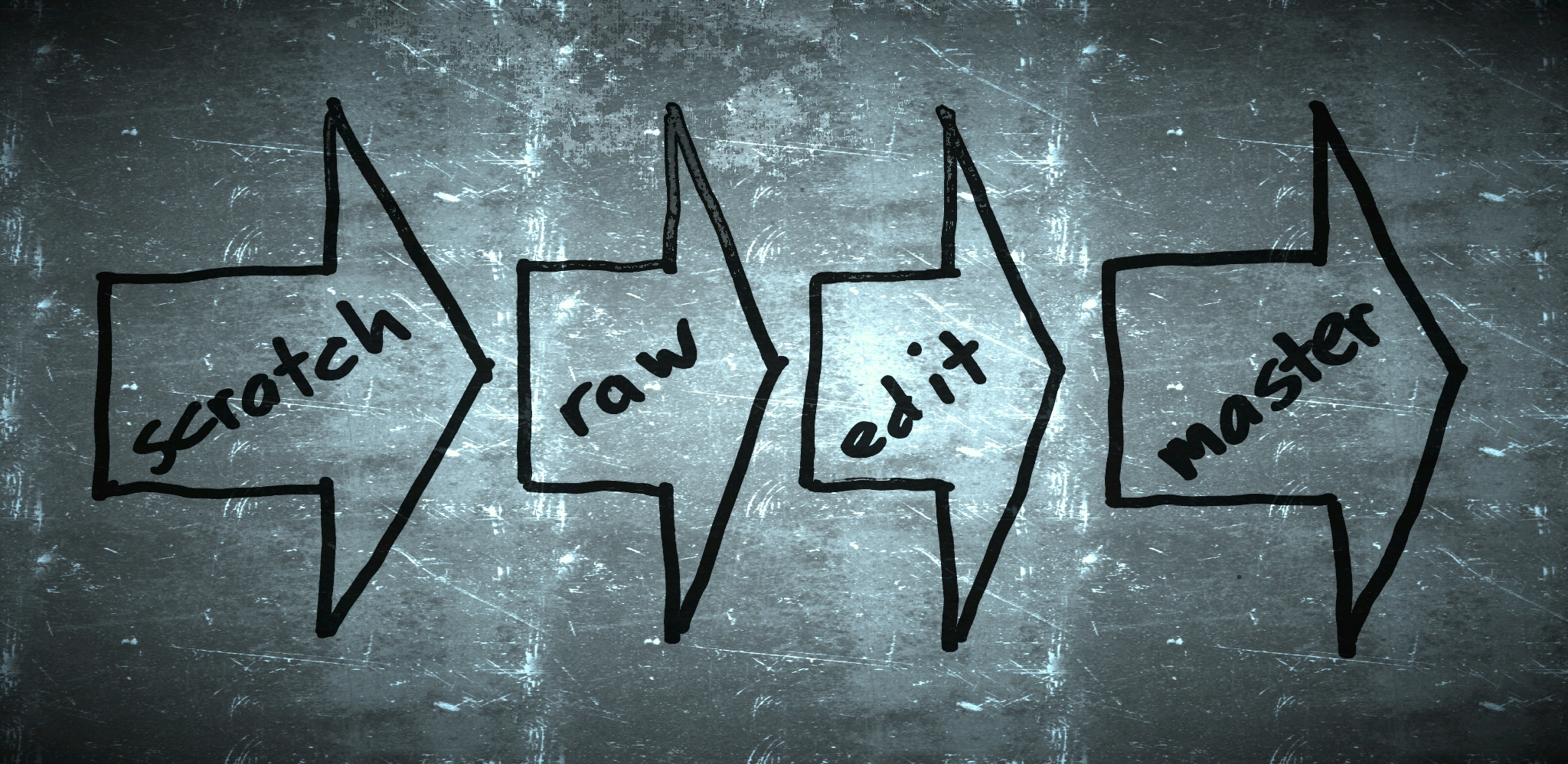
It’s often useful to know how far along an asset is in the process. Inserting words like scratch, raw, edit, master, and the like identify where the asset relates to major milestones in the workflow. This is valuable during production when there are fixes, and also if someone wants to revisit a project (think sequel) months or years after the initial project has been completed.
There are often major categories of audio file types such as dialog, music, and effects. These can be important file groups to call out by including right in the name. When assets are organized into folders by these categories, the folder name is an obvious place to use these words. But when files seem likely separated from your folders, the categories may better be used in each asset name. An abbreviation may be helpful for adding category to a file name.
Don’t overlook combined use of version number, date, milestone, and category in a file name. For example: fx_SmRoomAmbLoop_v3_2014-01Jan-02_edit.wav may help any number of people downstream quickly recognize and make effective use of the audio.
We had so much fun making the Frozen Storybook Deluxe app. Editor Vickie Saxon placed a special challenge before narrator Kari Wahlgren: tell the story from the perspectives of both sisters Elsa and Anna. Not only did she give a phenomenal performance, I grinned all session long as Kari wove nuance and subtext into this telling of the story. At various points during the narrative readers can choose to rotate the device for the other sister’s viewpoint, keeping the experience fresh and unique.
Kudos to producer Ashley (Kaye) Bravo for marshaling the efforts of our design, animation, and audio teams in coordination with the developer to make this beautiful app.

See also Kari Wahlgren Rocks for additional recording session details, and this app won the Editor’s Choice Award from Children’s Technology Review!
This article includes some specifics for audio professionals, but the underlying principles should be useful to anyone who uses digital files.
An immediate tip off that someone is a ProTools rookie: an audio file named Audio_01.wav. The less experienced may ask, “If you can simply listen to the file to know what it is, why does describing it matter?” The same reason a book has a cover, a film has a title sequence, and a video game has a splash screen… we want to know what we’ve got. A good label can help introduce the audio, and differentiate it from other files. Most of us have more than one file on our machine right? The title helps us find and verify the one we seek. While everyone may not appreciate a well crafted moniker, few enjoy a generic one.
Whereas consumers may be slightly annoyed by a poorly identified audio file, professionals lose time and money overcoming ambiguity. We can work far more effectively with descriptive information. In Music Production, Sound for Picture and Game Audio the there may be hundreds of thousands of individual assets for a project. Finding, sorting, producing with, and implementing sound is more efficient with a well organized audio file system.

METADATA
Metadata is cool, because the info about the file is contained in the file. It isn’t likely to be separated from the audio unless someone deliberately strips it out. ID3 tags are extensive and the fields are standardized, making it easier to find and report the information whether it’s iTunes, Soundminer, or some home-brew in-house solution.
But if someone downstream isn’t using software that displays the metadata, it will likely go unnoticed and unused. That’s pretty worthless. I’m not opposed to metadata, in fact I’d like to see it more widely used. But I haven’t found usage common enough to count on it alone for providing details about an audio asset. As I see it, some additional forms of information are important.
README
A quick, descriptive text file is pretty well accepted in audio production and computing in general. I like to use ReadMe docs for detailed technical information about a file set such as channel configuration, codec, data rate, synchronization standards, asset categories, etc.
But a separate document may not stay with the sound files through a work flow. Because it can be separated from the audio, we risk losing important details at later stages of production. A ReadMe document seems most effective for conveying information to those immediately next in line, but we shouldn’t rely on a ReadMe further along.
POSTING
When files are moved from one networked machine to another, some message about that transfer is typically sent. That notification could be as simple as, “Your files are here,” followed by a link. But I like to take the opportunity to describe assets for the recipient(s). In this form, the details are probably more ephemeral than a ReadMe, because once recipients get the audio they tend to leave the posting notification behind. But these descriptions may be useful in the future if they take the form of email or a descriptive field on a delivery site that doesn’t auto-delete the data. I especially appreciate being able to refer back to date sent, and the recipient list from posting correspondence. Connecting the date and recipients with the file set requires enough description to differentiate a particular file delivery from others — some of the same information that may be used in metadata and/or a ReadMe.
FOLDER
By convention I deliver audio in a folder. Even if I only deliver one sound file, I like to wrap it in a folder. Folks downstream sometimes store my audio in a folder on their systems. If they keep my folder name — or even part of it — I can potentially convey useful details to audio people working at later stages of the project. I like to include information such as bit depth, sample rate, and file type in a folder name (assuming all of the files in that folder share the same specification).
It’s difficult to open a folder without reading the folder name. That means there is a very good chance information in the name will be noticed. There is a much better chance of sharing information in a folder name than separate correspondence or a document.
But like the ReadMe file, a folder and it’s name can be separated from the audio assets. Despite my claim that a folder name stands a better chance of carrying useful information, it too may be lost.
FILE NAME
I put a high value on the actual name of a file. Why?
First, the file name is attached to the audio. Unless someone renames it (which should generally be avoided) the file name travels with the recording. It’s like Metadata, except it won’t be missed by those unable or unaware they should see it; everyone who accesses the audio as a file can see the name.
Which brings us to the second reason file name is important. Like a folder, someone using a file tends to notice the name simply by selecting and using that audio.
Because it lives with the asset, and is difficult for others to ignore — file name is huge. From my perspective, the file name is the ultimate metadata!
But let’s face it, file names and folder names shouldn’t be too long. If we try to cram too much detail into a file or folder name, folks downstream may just skim for the part they need, and consider a verbose title annoying. So if everyone on a project can agree on some abbreviations for file and folder names, that can be very helpful. Yes, if you have anything absolutely critical to share with everyone about an audio asset, find a way to include it in the file name.
See also: file naming conventions to avoid/embrace.
 Few Tweeters inspire me like Khris Brown. If you like game audio, voice acting, and joy — follow her. So when she came to Southern California recently, I invited Khris to meet in person.
If I haven’t previously met someone, I like to offer a beverage because it’s pretty simple and open… maybe we meet at a bar, maybe we meet at a coffee shop. Khris replied, “Let’s have hot chocolate.” It was the first of many unexpected answers.
A GOOD RECORDIST
I asked Khris what she looked for in a recording engineer for her game dialog sessions. A top qualification tends to be speed, since the voice director and actor usually put a premium on being able to keep a quick pace. But Khris put more worth in empathy. She gave an example of an actor being late for a recording session because there was bad traffic. If the engineer is focused on time, s/he might hurry that person in to the booth and get the actor on mic as quickly as possible. But a recording engineer who values the human element might instead offer her/him a cup of tea, or find other ways to help the actor transition out of traffic and into a mindset for interpreting a script on mic. I like Khris’ perspective on this because I know the first set of takes could be a waste of time if the actor isn’t mentally and emotionally ready to perform. Either you retake that first set, or you keep some potentially mediocre, even bad performances.
Khris also used the term Invisible Engineer, which really resonated with me. When the engineer’s role is given center stage it can take focus away from capturing a great performance. But when the engineer seamlessly blends technology into the activities of performers and producers, the engineer seems invisible. I have long believed that technology should serve the creative pursuits of the people who come to the studio, and that the engineer guides the guests to the best results technology provides. When it’s done well, the good engineer goes unnoticed.
DIRECTION
Later, Khris told me one of the best metaphors I’ve heard in a long time. She referred to the voice director as the lead dog of a dog sled team. Every dog’s effort is important for pulling that sled, and they must work together to reach the destination, but the front dog bears an important responsibility. Apparently good sled dogs can smell thin ice. Yes, smell it. The lead dog needs to detect trouble before it arrives to keep itself and everyone else on solid footing. The director, like the front sled dog, must be able and willing to guide the journey through the dialog script — instinctively — for the safe travel of the whole team.
My thanks to Khris for the insights and I look forward to the next episode of hot chocolate.

See also: Q&A: Veteran director Khris Brown on the secrets of great voice acting
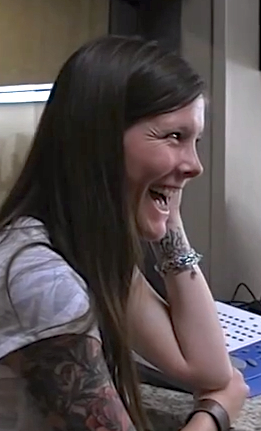 With millions of YouTube views, you’ve probably seen 29 year old Sarah Churman react to hearing for the first time in her life (video). You might wonder what events lead up to that moment, and what has happened since. Dick Gordon, host of The Story, wondered and conducted a wonderful interview with her.
Audio professionals take listening seriously, so my interest in her story of suddenly being able to hear was both personal and acute. “There are so many little things that people don’t think about that I enjoy.” She faced challenges too. Like how difficult it was at first to eat a salad with croutons and ignore the constant “crunch! crunch!” in her mouth as people were trying to talk to her. People explained that she would eventually learn to put that sound into the background and focus on the talking. And eventually she did. In time she learned how to listen the way most people do.
If you audibly reconstruct the world for film / TV / games, ignoring the croutons can be a problem. The ordinary, normal sound of things is important. Have you ever noticed how sound changes when you open a door and pass through? What does the museum sound like? How should things sound underwater? If these questions are difficult to answer, maybe we need to re-learn how to listen; maybe we need to listen like Sarah Churman did with joy and fascination at the way every little thing sounds.
Another delight she shared in the interview was the difference between lip reading and being able to hear tone of voice. “People don’t realize… tone and noises are so much in a conversation. And so you can read someone’s lips but without hearing some noise or grunt they made, you can miss the whole conversation.” This reminds me of the significant difference between words on the page and the meaning we impart by speaking, intoning them. Just as Sarah’s listening device brought new depth and understanding to ordinary conversations, taking a script from the page to a recording adds magnitude.
I’m so pleased that technology allows Sarah and others to hear. I am also glad that she shared her story, reminding us of the joy of listening.
Help compile info about the AES Convention in NY this year. Share your good links!
Presentations
Generations of Producers
Loudness in Interactive Sound at Sony
Recording Ambience in Surround
Photos
Hundreds of Gear Pics by Recording Magazine
Convention Photos on the AES Facebook Page
Sony’s Photos from the Convention
Audio Gear
Gary Noble’s AES 135th New Gear Announcements Part 1 – Part 2 – Part 3
ProSoundNetwork: AES Best Of Show Awards
Sonic Scoop: New Gear Highlights
Sonic Scoop: Telefunken Introduces New Stage and Studio XLR Cables at AES 2013
Sonic Scoop: Audionamix Announces ADX TRAX Audio Separation Software at AES
Sonic Scoop: SSL Introduces LMS-16 Multi-Channel Loudness and True Peak Monitoring System
Sonic Scoop: Rupert Neve Designs Announces Shelford Series and 5052 Mic Pre/Inductor EQ
Triad-Orbit Mic Stand System
Sound Radix Surfer EQ
Shure’s new SRH1540 Premium Closed-Back Headphones – editor’s note: I wore these on the exhibit floor and the isolation was quite good
Plugins mentioned at the Producing Across Generations panel: Surfer EQ, Auto-Align, Sausage Fattener, DMG Equality, FabFilter Pro-L
More
Shaun Farley: AES Convention Take Aways
Timothy Glasgow: Highlights via Facebook
Steven Lowell: Report from AES Project Studio Expo and Voiceover Tools
ProSoundNetwork: AES Convention Tally Hits 5-Year High (an overview)
Sonic Scoop: Show Review including comparisons with recent shows and lots of pics at the bottom.
Sonic Scoop: Platinum Producers, Platinum Engineers & All the Key Panels at the 2013 AES Convention in NYC
Bob Katz: The Loudness War Has Been Won

 I heard several people talking about this plugin at the AES convention. So I went over to the Sound Radix booth to see and hear for myself.
Does this scenario sound familiar? The bass guitar needs a little more warmth in the mix. But even a wide Q has a center, favoring some notes more than others. Enter Surfer EQ, which adapts to the input by tracking pitch. The center of your EQ boost can be trained on the fundamental, so as the song progresses you always get the boost (or cut) down where the bass warmth is located. Not only can you apply a typical bell shaped boost / cut, you can also detect pitch for intelligent high and low pass filters, even high and low shelves. But wait — there’s one more extremely cool trick you can perform.
The middle band acts like a regular old bell curve by default. Or you can engage harmonic mode — the EQ not only boosts or cuts the fundamental, it will do the same to the entire set of harmonic frequencies above it. This is a “tone” control in the truest sense. In harmonic mode a boost raises the level of the note across the spectrum. A cut lowers the note, revealing performance gestures and other non-tonal elements in the track.
The obvious application is music. But imagine being able to roll off low end rumble most of the time but the EQ opens up for signal down in that range when it is present. This would be huge for reality TV, film, game audio — any audio mixing market where cleaning up location audio should be quick and intuitive. And I bet sound designers could find all kinds of interesting, unintended uses for an EQ that adapts to pitch.
Here’s a quick look at the plugin so you can see and hear for yourself.
For more check out the Surfer EQ page on the Sound Radix site.
For more convention presentations, photos, audio gear, etc. see: 135th AES NY Roundup
I recently had an email exchange with my friend Shaun Farley of designingsound.org. His list of AES Convention “take aways” was so insightful I asked for permission to post them here.
Alex Case
As always, he runs a great presentation. I’ve seen him speak multiple times; occasionally on the same topic over different years. Every time, I come away with some little nugget. It isn’t always necessarily something he says directly in his presentation. Sometimes the simple things he points out takes you back mentally… making you think of the tools in a way you haven’t in years. Going back to that headspace, with the perspective that I have now, makes me think of some new approach to try out when I get home. If anyone is headed to an AES conference in the future, and Alex is presenting… go. He’s also got his own website which is worth checking out: http://recordingology.com/
Film Sound Mixing
There’s a big stir-up brewing over the practice of mixing for film and the standards associated with it. People are starting to look at the X-Curve more closely, and determining that it’s too broad to apply it across the full spectrum of theaters. There’s also some serious discussion going on over the playback volume in theaters. Film mixers are, justifiably, aggravated that theaters aren’t screening films at the spec their supposed to. They’re turning everything down by as much as 10dB on a regular basis. There are two culprits outside of the re-recording mixer’s control. The first is trailers. This is probably the main reason everything is getting turned down. Trailers are louder than the films they accompany. People complain, and the volume gets turned down. Either the standard for trailer loudness is being ignored, or LEQ-M just doesn’t cut it. A subset of this problem has to be the trend over the last 10 years to include actual commercials before the trailers. This isn’t something I’ve heard batted around yet, it’s my own speculation. I highly doubt that the same people who are mixing trailers or films are also mixing these commercials. So that’s the second potential culprit. Film mixers don’t want anything approaching television standards. They want the freedom to create art as they see it, and I agree with them. I think the first task that needs to be addressed is the loudness levels of accompanying programs. The second task is to get theaters playing back at the spec they’re supposed to be. If things are then still too loud, that’s when we can start talking about the volume of film mixes in an informed manner.
Sound for Picture Track
This was refreshing in some ways. I think a lot of people were hoping that they would get to go in and learn all of the techniques that the “pros” use. Instead, what they got was a lot of people talking about the decision making process and emphasizing the story-telling aspect. That’s what I was more interested in hearing. So I’m glad it turned out that way.
Sony PCM-D100
This looks pretty interesting. It has a number of improvements over the D50 (higher res audio, mics and preamps with a controlled response out to 40k, etc.), but it also has a significant price point. It will probably cost around $800 retail when it comes out in January. A lot of people are lamenting the lack of external inputs on the device. They have a point, considering the price. It’s simply a purpose-built handheld recorder. It will blow away everything else on the market in terms of quality, but it’s functionality vs. price-point will probably prevent many people from running out to grab one once they’re on the market.
For more convention presentations, photos, audio gear, etc. see: 135th AES NY Roundup

 Randy Coppinger